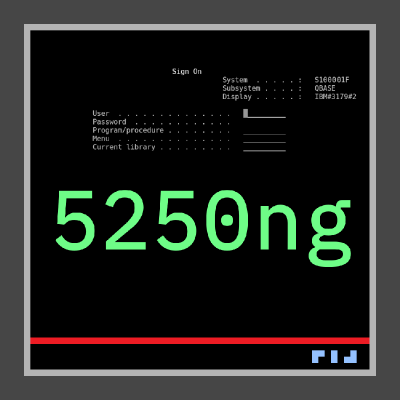
> SIGN ON
USER: QSECOFR
PASSWORD: ********
SYSTEM: IBMI01
Themes
13 built-in terminal themes.
Every 5250ng theme is a plain JSON file. You can copy any of these themes into your user themes directory and adjust fonts, palette, cursor, CRT effects, and background image.
> SIGN ON
USER: QSECOFR
PASSWORD: ********
SYSTEM: IBMI01
> SIGN ON
USER: QSECOFR
PASSWORD: ********
SYSTEM: IBMI01
> SIGN ON
USER: QSECOFR
PASSWORD: ********
SYSTEM: IBMI01
> SIGN ON
USER: QSECOFR
PASSWORD: ********
SYSTEM: IBMI01
> SIGN ON
USER: QSECOFR
PASSWORD: ********
SYSTEM: IBMI01
> SIGN ON
USER: QSECOFR
PASSWORD: ********
SYSTEM: IBMI01
> SIGN ON
USER: QSECOFR
PASSWORD: ********
SYSTEM: IBMI01
> SIGN ON
USER: QSECOFR
PASSWORD: ********
SYSTEM: IBMI01
> SIGN ON
USER: QSECOFR
PASSWORD: ********
SYSTEM: IBMI01
> SIGN ON
USER: QSECOFR
PASSWORD: ********
SYSTEM: IBMI01
> SIGN ON
USER: QSECOFR
PASSWORD: ********
SYSTEM: IBMI01
> SIGN ON
USER: QSECOFR
PASSWORD: ********
SYSTEM: IBMI01
Customization
What each theme controls
- Font family, size, and smoothing
- Full 16-color palette, or a monochrome override
- Per-protocol-color mapping (Green / Blue / Red / Cyan / Pink / Yellow / White)
- Cursor color, shape (Block / Underline / Bar), and blink rate
- Column separator style
- Footer status bar colors per segment
- CRT effects: scanline intensity, phosphor bloom, glow radius, curvature
- Global brightness and saturation
- Background image with Stretch / Tile / Center / Fit layout and opacity
JSON shape
Example theme JSON
{
  "id": "amber_phosphor",
  "displayName": "Amber Phosphor",
  "background": { "mode": "color", "color": "#1a0800" },
  "font": { "family": "IBM Plex Mono", "size": 14 },
  "monochrome": { "enabled": true, "color": "#ffb000" },
  "cursor":  { "shape": "underline", "blinkMs": 530 },
  "crtEffect": {
    "enabled": true,
    "scanlineIntensity": 0.2,
    "phosphorBloom": 0.45,
    "glowRadius": 0.15,
    "curvature": 0.08
  }
}
See the source tree at
src/ui/themes/data/terminal/
for every built-in theme's complete JSON.